



Last updated: October 10, 2026
In short: this guide to buying and evaluation frameworks for SaaS — The Complete Guide starts with the job the software must do, then judges vendors on fit, integration work, security, admin effort, and total cost to run it for 12 months.
Key Takeaways
- Remove a workflow bottleneck; do not buy the longest feature list.
- Rank criteria instead of counting every feature.
- Use four stages: qualify, compare, validate, and negotiate.
- Focus on the practical criteria that drive the decision.
I write this kind of guide for people who have to make a software choice that will be visible six months later, when the login links are live, the invoices are recurring, and the team has stopped being polite about friction. Buying and evaluating frameworks for SaaS — The Complete Guide is not just “which tool has the most features.” It is “which tool solves the job with the least hidden drag.”
What problem are you actually buying SaaS to solve?
The best purchase is usually the one that removes a specific workflow bottleneck, not the one with the longest feature list. If the job is clear, the shortlist gets smaller fast. If the job is vague, every demo looks promising and every renewal turns into a cleanup project.
I start with three questions:
- What work must become faster, safer, or more consistent?
- Who will use the system every week?
- What breaks if the tool is late, clunky, or impossible to integrate?
Those questions matter more than category labels. “CRM,” “help desk,” and “project management” are broad buckets; the buying decision lives in the details. A small sales team with a single pipeline and a large services team managing custom implementations do not need the same CRM behavior. A support team handling 50 tickets a week does not need the same workflow depth as one handling 5,000.
This is where generic articles often go wrong. They jump to feature checklists before defining the workflow. That mistake creates two bad outcomes: you buy too much software, or you buy a cheaper tool that cannot handle the one requirement that matters. I would rather see a buyer reject a glossy platform because it cannot model the approval path than accept it because it “looks modern.”
A practical way to write the problem statement is: “We need software that does X for Y users, connects to Z systems, and reduces manual work in this process by eliminating these steps.” That sentence becomes the test throughout the evaluation. If a vendor cannot map to it in one call, it does not belong on the short list.
One more point: SaaS is rarely just software. It is software plus setup, permissions, training, integration maintenance, and renewal management. The real question is not “does it work?” It is “does it keep working in my environment after the first month?”
How do I compare SaaS options without getting lost in feature lists?
I compare SaaS options by rank-ordering the decision criteria, not by tallying every feature. The right framework is: must-have fit first, then integration friction, then security and admin burden, then cost to run, then vendor risk.
Here is the simplest version of that framework:
- Must-have fit: Can it do the core job without awkward workarounds?
- Integration fit: Does it connect cleanly to the systems already in place?
- Admin burden: How much ongoing human effort does it demand?
- Security and compliance: Does it meet the organization’s control and review requirements?
- Commercial fit: Does the pricing model match usage, growth, and budget cycle?
- Vendor fit: Will this company still matter when you need support, documentation, and roadmap stability?
I treat each category differently, and for regulated purchases or high-stakes deployments, I would ask the relevant professional team to review the fit before anyone commits. Must-have fit is a gate, not a scoring item. If the product cannot do a non-negotiable task, it is out, even if everything else looks excellent. Integration fit is usually where hidden time goes missing. A tool that “integrates with Slack” may still require a third-party connector, a service account, or hours of field mapping before it becomes useful. Admin burden is what many buyers underestimate; the cost is often not the license fee but the person-hours needed to keep users, permissions, and data clean.
Security is not a checkbox if the software touches customer data, employee data, payments, or internal documents. I would ask for the vendor’s standard security documentation, data retention terms, access controls, and incident response summary before anyone signs. If the vendor cannot answer clearly, that is not a small paperwork issue. It is evidence of how the relationship will go later.
Commercial fit means more than “monthly versus annual.” It includes seat-based pricing, usage-based pricing, add-on modules, and the cost of implementation. A tool that starts cheap can become expensive if every useful function sits behind an add-on or if the license count grows faster than the team. If a vendor will not explain how the bill changes as usage changes, that should count against them.
Vendor fit is the most hand-waved part of SaaS buying, but it matters. A stable product with clear release notes and active support is easier to live with than a flashy platform that changes direction every quarter. I am not asking buyers to predict the future. I am asking them to notice whether the company gives signs of discipline.
For reference on cloud and security concepts, I would keep the NIST Cloud Computing definition close at hand and review CIS Controls guidance when security review begins. Those are not sales tools; they are a useful baseline for language and expectations. See the NIST Cloud Computing page and the Center for Internet Security Controls pages.
Here is the buying framework I would use before any demo
I would use a four-stage framework: qualify, compare, validate, and negotiate. That order keeps enthusiasm from outrunning evidence, and it fits buying and evaluating frameworks for SaaS — The Complete Guide from the first shortlist to the final contract.
1) Qualify the need
The first filter is whether the category itself fits the job. Sometimes the answer is not “which SaaS product?” but “should this be software at all?” If the process is rare, highly bespoke, or changes every quarter, a lightweight workflow with a spreadsheet or internal script may beat a full platform.
A good qualification document contains:
- the core workflow,
- the number and type of users,
- the systems it must connect to,
- any compliance requirements,
- and the deadline that forces a decision.
If you cannot write that down in one page, the purchase is still underdefined.
2) Compare only the vendors that survive the gate
Then the comparison should start only after the gate has closed. This is where a lot of people waste time. They compare eight products on 40 features each. That produces motion, not clarity. I prefer three to five vendors, each of which has already passed the gate on the must-have task.
At this stage, I care about:
- the quality of the setup path,
- the clarity of the user interface,
- the depth of the reporting,
- and the real shape of integrations.
A vendor demo is useful only when it walks through your exact workflow. If the rep cannot do that, the product is probably not a fit.
3) Validate the hidden work
Next, validate the hidden work before anyone assumes the license fee is the real cost. Ask who will configure fields, migrate data, maintain permissions, train users, and own renewals. Then ask how long those tasks take and what breaks if they are delayed.
Hidden work is where SaaS budgets go sideways. A platform can look cheap until it needs a specialist to keep it healthy. If the product demands a quarterly cleanup of bad data or constant permission tweaks, that labor belongs in the evaluation.
4) Negotiate with the use case in view
Finally, negotiate around how the software will actually be used. The goal is not to win the biggest discount. The goal is to buy terms that match how the software will actually be used. That means clarifying:
- contract length,
- renewal notice period,
- data export rights,
- implementation scope,
- and what happens if usage changes.
A 12-month commitment can be reasonable if the software is core to operations and the rollout is real. It is less wise if the team is still proving the workflow. The right contract is the one that matches the uncertainty level.
SaaS buying criteria that matter in practice
The real purchase decision usually turns on a handful of practical criteria, not the flashy ones. I would prioritize them in this order for most buyers: core workflow fit, integration effort, admin overhead, reporting quality, support quality, and contract flexibility.
| Criteria | Option A | Option B | Winner for [condition] |
|---|---|---|---|
| Core workflow fit | Best when the process is standard and repeatable | Better when the process needs heavy customization | Option A for straightforward workflows |
| Integration effort | Usually faster if the vendor has native connectors | Often slower if it relies on APIs or middleware | Option A when speed to value matters |
| Admin overhead | Lower if roles and permissions are simple | Higher if configuration is deep and flexible | Option A for lean teams |
| Reporting depth | Enough for operational visibility | Stronger for cross-team analysis and governance | Option B for executive reporting |
| Setup complexity | Shorter if the product is opinionated | Longer if the product is highly configurable | Option A for fast rollouts |
| Security review | Easier if documentation is standard and complete | Harder if answers are vague or fragmented | Option A for regulated buyers |
| Cost to run | More predictable if pricing is simple | Less predictable if add-ons and usage charges stack up | Option A for tight budgets |
| Change management | Better when users can learn it quickly | Better when expert admins can support complexity | Option A for broad adoption |
| Vendor risk | Lower if documentation, support, and roadmap are clear | Higher if the company is opaque or inconsistent | Option A for long contracts |
This table is intentionally generic because the buying logic is generic. The point is not to declare a universal winner; the point is to force the decision around real trade-offs. The wrong generic article says “consider your needs.” That advice is useless. The useful version says which criteria should change the answer and which ones should not.
A section with no numbers is often suspicious in software buying, so here is one that matters: if the contract locks you into 12 months, the evaluation has to be stronger than it would be for a month-to-month tool. Longer commitment raises the cost of being wrong. That is why I am harsher on security, support, and integration questions when annual contracts are involved.
Option A: the simpler SaaS platform wins when speed matters
Option A wins when the organization needs a working system fast and the workflow is standard. It is the better choice for small teams, first-time buyers, and buyers who need a tool that people can learn in a day, not a month.
The biggest strength of this type of platform is opinion. It tells the user how the process should work. That is a virtue when the team has no desire to redesign the process around the software. If the job is appointment booking, basic CRM, ticket handling, expense submission, or project tracking, a simpler product often gets to value faster because there are fewer paths to configure.
That lower complexity matters in the real world. Simple SaaS usually means:
- fewer admin hours,
- less training,
- fewer permission mistakes,
- and fewer support tickets from confused users.
The weakness is obvious, and buyers should not pretend otherwise: simple tools often hit a ceiling. They may struggle with unusual approval chains, nested reporting, advanced governance, or multi-team process variation. The result is workaround sprawl. People export data to spreadsheets, rebuild reports by hand, or route tasks outside the system. Once that starts, the software stops being the system of record and becomes one more island.
I would choose this option for:
- a company with a clear, repeatable workflow,
- a small or midsize team without dedicated admins,
- a rollout deadline measured in weeks, not quarters,
- and a budget that cannot absorb extensive implementation work.
I would skip it if the business process is a differentiator, if multiple departments need different permission models, or if the software has to carry heavy reporting and audit needs. In those cases, the simplicity that helps at first can become the thing that caps the product.
A sensible evaluator asks one blunt question here: “Will this still work when 30 more people use it, or when the process changes twice a year?” If the honest answer is no, then the product is a temporary fix, not a durable purchase.
Option B: the more configurable SaaS platform wins when the process is complex
Option B wins when the workflow is not generic, the organization has multiple stakeholders, or the software needs to reflect existing business rules rather than impose a simplified one.
The main strength here is flexibility. More configurable SaaS can handle layered approvals, custom fields, role-based access, branching workflows, and richer reporting. That makes it a better fit for teams where the process itself carries risk. Finance, legal, operations, security, and enterprise service teams often need more control than an out-of-the-box tool provides.
That control comes at a cost. The trade-off is longer setup, greater admin burden, and a steeper learning curve. If the vendor sells flexibility without explaining the implementation work, I would treat that as a warning sign. Flexible software is only a benefit if somebody owns the configuration and keeps it tidy.
This option also tends to demand better governance. When a system can do a lot, teams often build too much into it. Fields multiply, status values proliferate, and reporting becomes harder than the problem it was meant to solve. Without discipline, configurable SaaS can turn into a complicated mirror of the org chart.
I would choose this option for:
- organizations with cross-functional workflows,
- teams that need auditability or strict controls,
- buyers with an admin owner and implementation capacity,
- and businesses where the process is part of operational quality.
I would skip it if the team is still trying to prove the workflow, if there is no one to manage the system, or if the first rollout must succeed with minimal training. It is a better long-term fit, but it punishes sloppy buying.
One concrete number matters here: if the rollout timeline is longer than a few weeks and involves several departments, the buyer should plan for a real implementation phase instead of assuming “go live” happens at contract signature. That expectation, when discussed with the implementation lead or a qualified advisor, prevents a lot of disappointment.
What costs more than the license fee?
The total cost of SaaS is usually higher than the sticker price, and the hidden costs are where bad purchases get expensive. The obvious monthly or annual fee is only one line item.
The real cost stack usually includes:
- implementation and configuration,
- data migration,
- training,
- integrations,
- admin time,
- renewal management,
- and the cost of workarounds when the product does not fit.
The most expensive software is often the tool that seems cheap but creates recurring labor. If a product saves $200 a month but consumes several hours of staff time every week, the “cheap” option can become the costly one. Because labor costs vary, I would treat that as a general warning rather than a fixed formula, and I would ask finance or operations to model the time cost directly.
There is a second hidden cost: process drift. SaaS tools shape behavior. If the system is awkward, users route around it. If they route around it, the organization loses data quality and visibility. That creates a second layer of cost in reporting and oversight. Buyers usually notice this late.
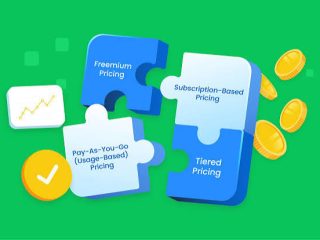
Pricing model matters here. Seat-based pricing is easy to understand but can punish growth. Usage-based pricing tracks activity better but makes budgeting harder. Add-on pricing can look modular while becoming expensive once the useful features are turned on. I would ask every vendor to explain what the bill looks like at 6 months, 12 months, and after a hiring or usage spike.
The honest trade-off against a simpler contract is that you may give up some advanced capability. That is fine if the capability is not needed. It is not fine if the software becomes the place where every exception lives. At that point, the organization pays twice: once in license fees and once in admin pain.
What I would ask in the security and integration review
I would ask for security and integration proof before I asked for a discount. That is because a cheap tool that fails security review or integration review is not a bargain; it is a delay with invoices attached.
For security, I look for:
- access control model,
- data encryption at rest and in transit,
- audit logs,
- retention and deletion policy,
- incident response process,
- and any third-party assurance material the vendor is willing to share.
For integration, I look for:
- native connectors,
- API documentation,
- data export options,
- identity provider support,
- and whether sync is one-way or two-way.
A SaaS vendor that says “we integrate with everything” is not being specific enough. I want to know whether the integration is native, connector-based, or custom-built. Those are not interchangeable. A native integration usually costs less to maintain than a custom build. A custom build might be fine if the use case is stable and the internal team can support it. It is a poor choice if the integration is mission-critical and no one owns it.
This is also where buyers should avoid magical thinking. A checklist item that says “has API” does not mean the integration is easy, secure, or worth maintaining. It only means an API exists. I would ask who is responsible when the upstream system changes its fields or when the sync fails at 2 a.m.
For a baseline on security controls, I would keep CIS Controls and NIST guidance in the conversation. For identity and access, the vendor should be able to explain its support for role-based access and, where relevant, single sign-on. If the answers are vague, that is information.
What if the answer flips? Exception scenarios that change the choice
The overall recommendation flips in four common cases.
First, choose the more configurable platform even for a small team if the process is compliance-heavy. A five-person team handling regulated data or formal approvals may need audit trails and role controls that a simpler tool cannot provide. In that case, the size of the team matters less than the risk of the workflow.
Second, choose the simpler platform even for a larger company if the use case is narrow and standardized. A 200-person organization does not automatically need a complex system. If the task is a simple one and the teams only need basic visibility, extra flexibility may just create extra admin work.
Third, rethink the SaaS purchase entirely if the process changes too often to model cleanly. Some workflows are still in flux because the business itself is changing. Buying software too early can hard-code a process that should remain fluid. A spreadsheet, database, or manual approval path may be the better bridge.
Fourth, delay the purchase if you cannot name a system owner. A SaaS tool without an owner becomes a neglected asset quickly. If no one will manage permissions, reporting, and adoption, even a good product turns into shelfware. That failure is common and preventable.
A date matters here in a practical sense: if the rollout has to happen before a hard deadline such as a contract renewal, compliance review, or peak season, then ease of deployment should outweigh theoretical elegance. Late software is often worse than imperfect software.
The verdict: which SaaS choice should you make?
Choose the simpler SaaS platform if the workflow is standard, the team is small or lean, the rollout needs to happen quickly, and you want the lowest admin burden. Choose the more configurable SaaS platform if the process is complex, the organization needs controls or auditability, and you have a real owner for implementation and maintenance. Neither if the workflow is still changing, the category itself is uncertain, or no one can support the system after go-live.
That is the cleanest decision rule I can give. It is not glamorous, but it is how better software purchases get made.
A short evaluation checklist you can use this week
The right SaaS shortlist can be built in one working session if the questions are disciplined. I would use this list before any final demo:
- What exact job is the software supposed to do?
- Which users must succeed on day one?
- What systems must it connect to?
- Which security controls are non-negotiable?
- What tasks will consume staff time after launch?
- What happens if usage doubles in 12 months?
- What contract term is acceptable if the tool underperforms?
If those questions do not yield clear answers, the buying process is still too vague. That is not a software problem yet. It is a decision problem.
I would keep the shortlist short, the criteria specific, and the contract honest about reality. That combination does more for SaaS outcomes than any vendor comparison chart.
FAQ
How many SaaS vendors should I evaluate?
Three to five is usually enough if the criteria are clear. More than that and the process often becomes noise.
Should I always choose the product with the most features?
No. Extra features help only when they map to your workflow and your team can support them.
What matters most in a SaaS demo?
I think the most useful demo is the one that shows your exact workflow, including setup, permissions, and a real integration path.
Is annual billing always better than monthly billing?
Not always. Annual billing can make sense for core software, but monthly terms are safer when the workflow is new or the vendor fit is uncertain.
When should I reject a SaaS product outright?
Reject it if it cannot do a must-have task, fails security review, creates unmanageable admin work, or relies on workarounds for the core job.
Drafted with AI; not yet reviewed by a person.




Leave a comment